Last week I did something that felt a little ridiculous: I wrote an employee handbook.
I don’t have employees.
It’s just me here at Simple Startup. One person, a laptop, and a business. But I sat down and wrote out who we are, who we serve, how we talk, what we never do… the kind of document you’d hand a new hire on day one.
Then I handed it to an AI.
And I’m going to be straight with you: if you want to run a one-person business with AI actually doing the busywork… not just spitting out generic drafts… this changed more for me than any prompt, plugin, or “10x productivity hack” I’ve tried in the past two years.
In this post I’ll walk you through the exact setup, step by step, including a real example of how a blog post now goes from idea to published without me touching most of the busywork. Nothing here requires code. Most of it is just deciding, in writing, how your business should run… which turns out to be valuable all by itself.
Why AI fails most solopreneurs (it’s not the AI)
Here’s what my AI workflow used to look like. Open a chat. Explain my business… again. Explain my audience… again. Paste in an example of my writing… again. Get a draft that sounds 70% like a LinkedIn motivational bot and 30% like me. Edit heavily. Close the chat.
Next day? Start from zero.
That’s not an assistant. That’s a temp worker with amnesia who you re-train every single morning.
I call this the context tax. Every session you pay it: five minutes re-explaining your business, ten minutes fixing the tone, another ten reformatting the output to match how you actually do things. It doesn’t feel expensive in the moment. But if you use AI daily, you’re paying that tax hundreds of times a year. And the worst part isn’t the lost time… it’s that you slowly stop delegating. When handing something off costs more than doing it yourself, you quietly go back to doing everything yourself. Sound familiar?
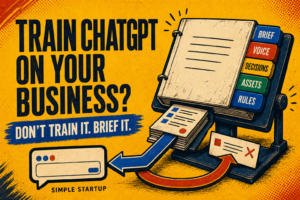
The shift that fixed it wasn’t a better prompt. It was realizing that AI doesn’t need better instructions in the moment… it needs onboarding, once, like a real hire. Give it a home base, teach it your voice, connect it to your tools, and set the rules. Then every conversation starts with full context instead of a blank stare.
I call this an AI headquarters: one place where your business context, your voice, and your rules live permanently, so AI agents can do real work for your one-person business without you babysitting every step.
Here’s the exact setup.
Step 1: Give your AI a home base
I use Claude, and the feature doing the heavy lifting is a Project… a workspace where you save standing instructions that load into every conversation automatically.
My project instructions are basically that employee handbook:
- The business: what Simple Startup is, what I sell, what’s in development
- The audience: solopreneurs who are tired of hype and want doable steps
- The voice: how I actually write (more on this next)
- The rules: what the AI can and can’t do without asking me
To make this concrete, here’s the kind of line that goes in the handbook: “My audience is tired of shiny tactics and hype. They want practical, doable steps. Talk to them as a peer who’s a few steps ahead, never as a guru talking down.” One sentence like that shapes every single draft the AI produces… forever. That’s the leverage: you write the sentence once, and it applies a thousand times.
That’s it. One document, written once. Now when I say “draft a blog post,” it already knows who it’s writing for and what we’re building. No re-explaining. No amnesia.
The lesson here isn’t “use this specific tool.” It’s this: your context is the asset. Whatever AI you use to run your business, the quality of the output tracks the quality of the onboarding, not the cleverness of the prompt.
Step 2: Teach it your voice… with receipts, not adjectives
My first attempt at a voice guide was a list of adjectives. “Conversational. Direct. Practical.”
Useless. Every AI on earth thinks it writes conversationally.
What actually worked: I picked six of my favorite blog posts and saved verbatim excerpts into the project… real openings, real closings, real mid-article passages. Not descriptions of my voice. Samples of it. Now drafts get pattern-matched against actual sentences I wrote instead of vibes.
The difference shows up immediately. Before: “In today’s fast-paced digital landscape, leveraging AI can be a game-changer for entrepreneurs looking to elevate their business.” After: “You don’t need another shiny tactic. You need the busywork off your plate.” Same request, same AI. The only thing that changed was what it had to imitate.
Then I added a second document: a corrections log. Every time I edit a draft, the change gets recorded as a rule. Small example: I noticed the AI loves em dashes way more than I do, so that went in the log. It hasn’t made that mistake since.
This is the part most solopreneurs skip, and it’s the part that compounds. The examples set the baseline. The corrections make it converge. A month from now, the drafts will sound more like me than they do today… automatically.
Step 3: Connect your tools, but write the rules first
This is where AI agents for solopreneurs get real. My setup is connected to the actual business: my WordPress site, my email CRM, my social scheduler, even my design tool. The AI can look at my live pages, check my email sequences, prepare social posts, and create on-brand images.
Which sounds terrifying. An AI with the keys to your live website?
So before connecting anything, I wrote one rule at the top of the handbook, in plain language:
Draft, never publish.
Nothing gets sent, scheduled, or pushed live without my explicit approval. Not an email. Not a tweet. Not a “small” edit to a page. The AI prepares everything and shows me first. I stay the editor-in-chief… it does the busywork.
I also keep a staging copy of my website, and the AI knows to verify which site it’s touching before making any change. Boring? Yes. But boring safety rules are what let you delegate without anxiety. The goal isn’t to remove yourself from the loop. It’s to make your part of the loop take five minutes instead of five hours.
Step 4: Give it a memory that outlives the conversation
Individual chats are disposable. The system isn’t.
The rule I follow: every chat ends with the durable stuff saved back to the project… finished copy, decisions, anything a future session would otherwise have to rediscover. The chat gets closed. The knowledge stays.
In practice, my project now holds things like a content ideas backlog ranked by strategy, a style guide for blog featured images, records of what’s been published and where, and that growing corrections log. None of these existed a month ago. Each one was created once, during a real task, and now every future task starts further ahead.
This flips the usual AI experience on its head. Most people’s AI gets dumber over time as chats bloat and context gets lost. An AI headquarters with a real memory gets smarter over time, because every project doc, every voice correction, every saved decision compounds.
One person can’t hold a whole business in their head. Turns out you don’t have to.
A real example: how a blog post gets made now
Here’s what this looks like when it’s running, using the most meta example I have: the post you’re reading right now.
It started with the AI reviewing my existing blog… every published post, every unfinished draft sitting in WordPress, what’s worked and what hasn’t. From that it proposed a ranked list of post ideas tied to where my business is actually heading, and saved that list to the project as a backlog.
I picked one. The AI drafted it against my voice samples. Then it researched the search landscape, picked a keyword worth targeting based on what actually ranks today, and optimized the title, headings, and structure… without flattening the voice into SEO sludge.
I read the draft, made my edits, and said “publish.” The AI formatted it for WordPress, set the SEO metadata, added internal links to my related posts, generated an on-brand featured image from my saved style guide, and verified the live page rendered correctly.
My total hands-on time: reading, editing, and two approvals. Everything else… the research, formatting, metadata, image, verification… was busywork I used to do manually or skip entirely. Mostly skip, if I’m honest. That’s the real change: the quality bar went up because the tedious parts stopped being optional.
Your first-weekend setup checklist
You don’t need to build all of this at once. Here’s the order I’d do it in if I were starting over, and none of it requires technical skills:
- Write the one-pager. Who you serve, what you sell, how you talk, what you never do. Plain language. This is 80% of the value.
- Save it somewhere permanent. A Claude Project, or whatever your AI offers for persistent instructions. The point is you write it once, not per chat.
- Add three to six real writing samples. Your best posts or emails, verbatim. Skip the adjectives.
- Write the safety rule. “Draft, never publish” or whatever fits your risk tolerance. Do this before connecting any tools.
- Start a corrections log. Every time you fix the AI’s output, record the rule. This is the flywheel… don’t skip it.
Then use it on one real task… a newsletter, a product description, a blog post… and let the system earn the next connection. Tools can come later. Context comes first.
What running a one-person business with AI actually costs (and what it doesn’t fix)
Let me keep this grounded, because the “AI runs my business while I sleep” crowd has done enough damage.
The setup took me a few hours across a couple of sessions… most of it deciding what I actually wanted, which was clarifying in itself. First drafts still need my edits. Strategy is still my job. And an AI with full context can still have an off day.
It also doesn’t fix a business that isn’t working. If your offer is wrong or nobody wants what you’re selling, an AI headquarters just helps you produce the wrong thing faster. Get the fundamentals honest first… the AI multiplies whatever you point it at.
What changed is the ratio. I used to spend most of my energy on re-explaining, reformatting, and busywork, with creative judgment squeezed into what was left. Now it’s closer to the reverse. The AI handles the repetition. I handle the taste.
That’s the honest pitch. Not magic. Leverage.
The real shift
Here’s the reframe I keep coming back to.
For years, the ceiling on a one-person business was hours. Your judgment could scale, but your hands couldn’t… so everything moved at the speed of your busiest week.
An AI headquarters doesn’t remove you from the business. It removes the bottleneck between your judgment and the work. You decide once, in writing, how things should be done. Then the doing stops depending on you having a free afternoon.
One person. A real business. That’s always been the goal.
Start small: open whatever AI you already use and write one page about your business… who you serve, how you talk, what you never do. Save it where the AI can see it every time. That single page will outperform a hundred clever prompts.
And if you want the templates and AI workflows I use to run Simple Startup, grab the Free Startup Toolkit… it’s free, and it’s the fastest way to steal this setup for yourself.
FAQ: Running a one-person business with AI
Can AI really run a one-person business?
Not alone, and be suspicious of anyone who says otherwise. What AI can do is handle the busywork… drafting, formatting, research, prep… while you keep judgment, strategy, and final approval. That combination is what makes a real one-person business sustainable.
What’s the best AI setup for solopreneurs?
The tool matters less than the structure: a permanent workspace with your business context, real writing samples (not adjectives), connections to your actual tools, and a hard “draft, never publish” rule. I use Claude Projects, but the same approach works with any AI that supports persistent instructions.
Will my content sound like AI wrote it?
Only if you skip the voice work. Generic output comes from generic context. Feed it real samples of your writing, log your corrections, and keep editing the drafts… the output converges on your voice over time. And you should still be the final edit on everything. That last pass is where it becomes yours.
How long does it take to set up?
A few hours, spread over a couple of sessions. Most of that time is deciding how your business should work… which is worth doing even without the AI. Use the weekend checklist above and start with just the one-pager.
Do I need to know how to code?
No. Everything in this setup is written in plain language. If you can write an email describing how you want things done, you can build an AI headquarters.
Related reading: AI Search Optimization (GEO & AEO): How to Rank in AI Overviews… because once your AI is producing content, the next step is making sure AI search engines can find it. And for proof of why that matters, here’s what happened when I tested how to get your business recommended by ChatGPT.