There’s a file on my laptop that is nothing but me correcting a machine.
Dated entries, one after another. What it wrote, what I changed, and the rule that came out of it. Deeply boring to read, and it’s the most useful thing I keep.
Last week I went back through it properly, which I had somehow never actually done.
What I found was worse than I expected and a lot more useful: the same correction, written down three separate times, across eight days. Not three different lessons… the same one. Logged, dated, in plain language, and still missed twice after it was first recorded.
Which was not what I expected, because I’d been treating this as a setup problem. Write the business down once, hand it over, done. Most advice about getting AI to understand your business treats it exactly the same way, and that assumption is the reason I kept paying for the same lesson.
So here’s what’s actually going on under that phrase, what it costs you when you get it wrong, and the system I run instead.
The short answer
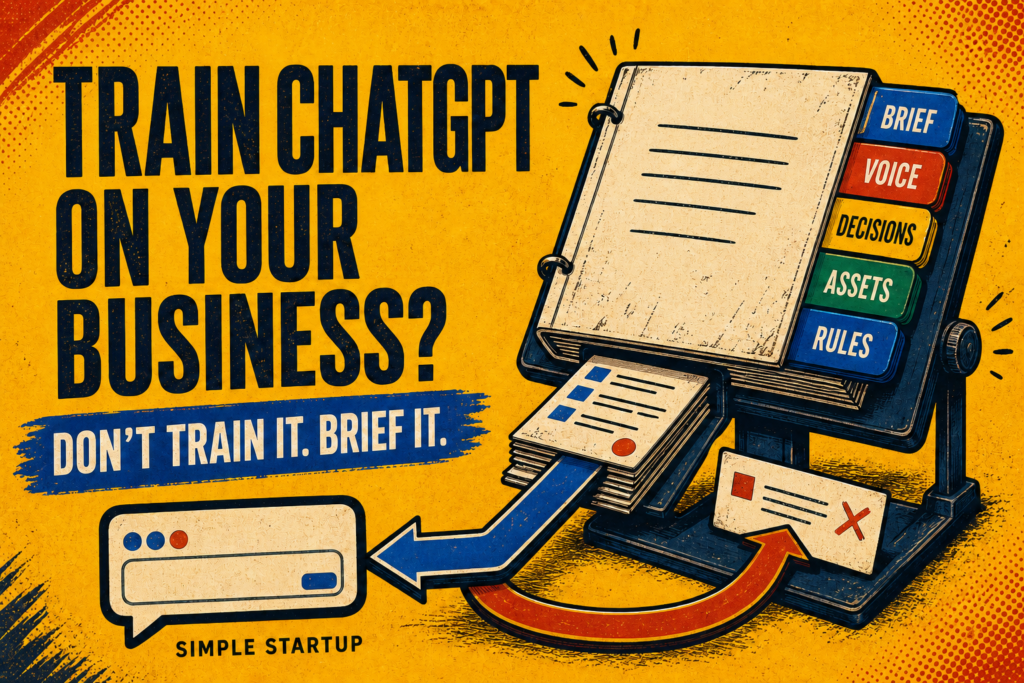
You can’t train ChatGPT on your business in the way the phrase implies. Fine-tuning changes a model’s underlying weights, and it isn’t practical or necessary for a one-person business. What you can do is give it context: a structured brief it reads at the start of every session. Custom GPTs, Projects and knowledge files store that brief and hand it over automatically.
None of that makes the model learn. It makes the briefing faster.
That distinction sounds pedantic. It’s the whole ballgame, and the next section is why.
1. Three things people mean by “training” (and only one of them is yours)
When someone asks how to train ChatGPT on their business, they’re usually mixing up three different things.
Fine-tuning
Actually altering the model. You feed it thousands of examples and its internal weights shift, so the behaviour changes permanently.
This is real, it’s available through the API, and it is almost certainly not what you want. It’s built for narrow, repetitive, high-volume tasks… classifying support tickets, forcing a rigid output format. It’s expensive relative to the alternative, it goes stale the moment your business changes, and it’s poor at teaching facts. If your prices change, a fine-tuned model doesn’t update… it just confidently keeps quoting last year.
Almost nobody running a small business needs this. I don’t.
Custom GPTs, Projects and knowledge files
Real, useful, and where most people should land. You write your business information down, attach it, and it gets handed to the model at the start of each conversation.
Notice the verb, though. Handed to. Not learned. It’s a briefing document that gets read out before every meeting, and the model has no memory of the last one.
Context
What you paste, attach, or store for the assistant to read each time.
This is the one that’s actually yours, and it’s the one that resets. Every session, back to zero, however good the file is.
So the honest answer to the question is that you don’t train it, you brief it. And briefing isn’t a setup cost you pay once. It’s a running cost you pay forever.
Which is fine, and manageable, right up until you assume otherwise.
2. The cost isn’t measured in minutes. It’s measured in repeats
I used to think of this as time lost at the start of a session. A few minutes of typing, annoying but survivable.
That’s not where the money goes.
The real cost shows up as the same correction, paid for more than once. And I can show you mine, because I keep a log of every edit I make to a draft, with the date and the rule that came out of it.
Here’s what that log says.
On 23 July, I flagged that a draft was telling instead of showing… abstractions with nothing concrete underneath them. The rule got written down: every abstract claim gets a concrete micro-example.
On 28 July, different post, same problem wearing a different hat. I’d written “an AI agent” and “my email tool” where the real names existed. The rule that came out of it was to always write Claude, FluentCRM, Bricks, Buffer… name the actual thing, every time.
On 31 July, working on my tech stack post, I flagged it a third time. The intro said I’d “wired a signup form into a post,” which is a sentence nobody can picture. By then the log entry had grown a note on itself, and it reads: “third occurrence… treat as fully established and under-applied.”
Three times. Eight days. The rule was written down the entire time.
There’s a second pair in the same log that I only spotted later. On 24 July I ruled that a post’s own history shouldn’t be its frame. On 31 July I said not to include the tools I’d stopped using, because nobody cares what I abandoned. Two corrections, a week apart, that I’d written as though they were unrelated.
They’re the same instinct. I just didn’t recognise it the second time, because I’d filed it under a different name.
That’s the tax. Not the minutes at the top of a session. The lessons you buy twice.
And it compounds in a direction that’s easy to miss. The stack post took thirteen passes before it was right. A good chunk of those passes were spent re-teaching things I’d already taught, which means the expensive part wasn’t the writing. It was the re-teaching.
The output only got good when the notes got good. The model never changed.
3. One correction, start to finish
That is easy to nod at and hard to picture, so here is a real one. Start to end, exactly as it happened.
The job
I was writing the opening of a post about my tech stack. I had pasted in my business brief and my voice rules, and asked for an intro that showed a real week rather than describing one.
What came back
“This week I published a blog post, wired a signup form into it, and sent it to my email list.”
Read it again. It is not wrong. It is just… nothing.
Three of those nouns cannot be pictured. A blog post. A signup form. My email list. The sentence describes a week without showing you one thing that actually happened in it, and I would have published it if I had been skimming.
What I changed it to
“The opt-in box for the Simple Startup Canvas, which is a Contact Form 7 form that tags the subscriber in FluentCRM and fires the delivery funnel.”
Same week. Same event. One version you skim, one version you can see.

The entry that came out of it
Then the part that matters, and the part I used to skip. Before closing the session, four lines:
DATE     31 July
DRAFT    Tech stack post, intro
CHANGED  "wired a signup form into it" became the actual named chain:
         Contact Form 7 catches it, FluentCRM tags it, the funnel fires
RULE     An abstraction is any noun the reader can't picture.
         Give every one a name, a number, or a worked example.
What happened next
Here is where I could tell you the problem went away. It did not.
That entry is the third time I had written that rule down. It had been logged on 23 July and again on the 28th. The file was open on my second screen the entire time.
What actually fixed it was not writing it a fourth time. It was reading the last few entries before starting the next draft, which took about thirty seconds and is the whole subject of section 7.
That is the shape of the work. Correct the output, write the rule in one line you could hand to a stranger, and then read it back at the moment the next job starts. Miss the last step and you have a very well-documented archive of lessons you are still paying for.
4. Why one big context file doesn’t work
The standard advice is to write a single document about your business and paste it in. I did that. It worked for about a fortnight, then quietly stopped, and it took me a while to work out why.
One document can’t have five different update rhythms.
The facts about my business change roughly twice a year. My voice rules change every time I correct a draft… so several times a week. The details of an individual blog post change constantly while I’m working on it, then never again.
Put all of that in one file and two things happen. The fast-moving parts go stale because updating a big document feels like a job. And the file grows until the ten lines that matter for today’s task are buried under four thousand words that don’t.
So I split it by how often it changes. Five layers.
Layer 1: The business brief
The permanent facts. What I do, who for, what I sell, what I don’t.
Here’s the whole layer. Copy it, fill it in, and you’re most of the way there.
MY BUSINESS
What I do:              [one sentence]
Who it's for:           [specific... not "small businesses"]
What I sell right now:  [list them]
What I don't do:        [the things people assume but shouldn't]
What I have receipts for: [what you've actually done, not read about]
Never mention publicly: [anything unlaunched]
Two of those fields do most of the work.
“Who it’s for” is where people write something useless. “I help small businesses with marketing” gives an assistant nothing… it’ll write for everyone and land on no one. Compare: “solo founders who already have an audience and want to turn it into an email list and a paid offer. Not agencies, not funded startups with teams.” Now it knows who’s reading, and just as importantly, who isn’t.
“What I have receipts for” is the one that saves you in public. Mine lists eighteen years running a business on my own, a live site I edit with agents, and every workflow in this post documented while I was building it.
That field tells the assistant which claims I can stand behind and which ones need a source before they get anywhere near a draft. Get it wrong and you publish something confident you can’t defend… and that’s not a tidiness problem, that’s a post you have to walk back.
Layer 2: The voice rules
How I write and what I’d never say.
The test for whether a voice rule is real: could you check a draft against it and get a straight yes or no? “Write conversationally” fails that test. “Never stack more than two long paragraphs in a row, and put the punchline on its own line” passes it.
Layer 3: The decision log
What I decided, why, and what I rejected on the way.
That last clause is the one everybody leaves out. Record only the decision and you’ll be offered the rejected option again next month, because nothing anywhere says it was already considered and killed.
Layer 4: The asset card
One short record per thing I make. For a blog post that’s the URL, the WordPress post ID, the focus keyphrase, which lead magnet it feeds, which posts it links to, and what’s still outstanding on it.
Featured image missing. Social drafts not approved. Written down on the day, because three weeks later I will not remember which half of it I finished.
Layer 5: The system rules
How work happens, rather than what the business is. Which tool to use for what, the right method and the wrong one, and what must never happen without me approving it.
Mine includes the rule that nothing publishes, sends or schedules without me looking at it first… including small edits on live pages. It felt too obvious to write down. The obvious ones are exactly the ones that cost you when they’re missed.
5. Where to actually put all this
Reasonable question, and most posts on this skip it.
The five layers don’t all live in the same place, and where each one goes is decided by how often it changes. Store the slow stuff. Paste the fast stuff.
Layers 1 and 2 go in the permanent slot
Your business brief and your voice rules. Slow-moving, needed in nearly every conversation.
In ChatGPT that’s a Project’s instructions, or the configuration of a Custom GPT if you want one dedicated to your business. In Claude it’s a Project’s custom instructions. Same mechanic, different label.
Set it once. Look at it again in three months.
Layers 3 and 5 go in as knowledge files
The decision log and the system rules. These get long, and you don’t need them in every conversation… you need them findable when a question comes up.
Attach them as files to the same Project or Custom GPT. They sit there and get consulted rather than read out every time.
Layer 4 and your recent corrections get pasted fresh
The asset card for whatever you’re working on today, plus the last few entries in your correction log.
This is the part that can’t live in stored config, and it’s where most setups quietly fail. People put everything into a Custom GPT once, feel organised, and then never update it… because editing a stored configuration is a chore and pasting a few lines isn’t.
So don’t fight that. Store what’s stable. Paste what moves.
The one-line test: if you’d have to edit it more than once a month, it doesn’t belong in the permanent slot.
Here’s the whole system on one screen.
| Layer | What it holds | How often it changes | Where it lives |
|---|---|---|---|
| 1. Business brief | What you do, who for, what you sell, what you have receipts for | Twice a year | Project instructions or Custom GPT |
| 2. Voice rules | How you write, what you’d never say | Every time you correct something | Project instructions or Custom GPT |
| 3. Decision log | What you decided, why, and what you rejected | Whenever you make a call worth keeping | Attached knowledge file |
| 4. Asset card | One short record per thing you make | Every time you touch that thing | Pasted at the start of the session |
| 5. System rules | Which tool for what, what needs your approval | Rarely, but load-bearing | Attached knowledge file |
| The correction log | Every edit you made, written as a reusable rule | Every session | Last five, pasted at the start |
If you build nothing else from this post, build row one and the bottom row. Those two carry most of the weight.
6. The correction log is the part almost nobody keeps
Those five layers are just documents. This is the thing that makes them true over time, and in eighteen years of working solo it’s the most useful habit I’ve picked up in the last two.
Every time you edit what the assistant produced, you taught it something. If you don’t write it down, you taught it to yourself, and only for about a week.
The format is four columns: the date, what was drafted, what I changed, and the rule going forward.
You saw one in section 3: the four lines that came out of the signup-form rewrite. Every entry has that same shape.
The fourth line is the entire point, and it’s where most people stop short.
“This intro was weak” is a mood. A rule is something you could hand to a stranger and have them apply correctly. Mine for that one reads: the intro must not pre-run the article… proof in an intro should be a number or a claim, not a walkthrough of material the body already covers.
I can check a draft against that. I can’t check a draft against “weak.”
A quick way to tell if you’ve written a real one: read it back and ask whether two different people would apply it the same way. If not, it’s still a feeling with better grammar.
Here’s the honest part, and it’s the reason this post exists at all.
Keeping the log did not stop the mistake happening. Three times, remember. In eight days. Written down, clearly, the whole time.
That failure isn’t an argument against the log. It’s the argument for the next section.
7. Reading it is the discipline. Writing it is the easy half
I’d built a filing cabinet and called it a memory.
The rule kept getting missed because nobody read it at the moment the work started. Writing something down feels like completion. It isn’t. It’s storage, and storage does nothing on its own.
So there’s a ritual now, and it takes about thirty seconds.
Read the last five entries in the correction log. Not the whole thing, just what’s recent. This is the step that would have caught my three-time repeat.
Open with the same paste, every time. Mine looks like this, and it’s four lines:
Before we start, read these: [Layer 1, plus whichever layers this job needs]
Rules I've had to repeat lately: [last 5 correction log entries]
Today's job: [what you're actually doing]
Done looks like: [how you'll know it's finished]
That last line does more than it looks like it should. An assistant that doesn’t know what finished means will keep going past it, confidently, in whatever direction it was already heading.
Then do the work.
And when you correct something, log it before you close the session. Not later. Later is where corrections go to die.
That last step is the one people skip, and skipping it is what turns a system back into a folder.

8. If you only do three things
The full system is five layers and a log, and you don’t need all of it this week. If you take three things out of this post, take these… in this order.
One. Write the six-line business brief and put it somewhere permanent. A ChatGPT Project’s instructions, a Custom GPT, a Claude Project. Ten minutes, and it’s the single biggest jump in output quality you’ll get from anything here.
Two. Start the log today, even if it has one entry. Next time you rewrite something the assistant gave you, stop and write the rule in one line before you move on. One entry is a log. Zero is a habit you keep meaning to start.
Three. Read the last five entries before you begin work. Thirty seconds. This is the step that separates people who have notes from people whose notes actually do something.
Everything else in this post is refinement on top of those three.
9. What none of this fixes
I’d rather you hear this now than conclude in a fortnight that it didn’t work.
The cost never goes to zero. You’ll always spend something getting an assistant oriented. This turns it into a minute of pasting instead of a quarter of an hour of typing, and it makes the briefing consistent rather than whatever you happened to remember that morning.
Writing notes takes time too. It only pays back on work you repeat. For a genuine one-off, explain it and move on.
Context goes stale silently. Nothing warns you that your business brief describes a business you stopped running in March. Re-read it quarterly.
More context is not better context. The instinct is to paste everything, and it makes the output worse, not better. Ten relevant lines beat four thousand words of background.
And it can’t fix a thing you haven’t decided. If you don’t know who you’re for or what you’re selling, no file makes an assistant guess correctly. It’ll just guess consistently.
The reframe
Everyone sells this as a capability problem. Better model, better prompt, better output.
It almost never is.
The gap between someone getting genuinely good work out of these tools and someone getting confident sludge is rarely the model they’re on. It’s whether anything they learned last Tuesday survived to this Tuesday.
That’s not a technology question. It’s a memory question… and the memory has to live outside the machine, because the machine doesn’t have one.
Which means the advantage here isn’t going to the people with the best tools. It’s going to the people who write things down and then actually read them back.
Unglamorous. Almost embarrassingly low-tech. It’s the whole thing.
Open one file. Write down the five things you found yourself explaining more than once last week.
That’s your first layer, and it’ll save you time tomorrow morning. The rest can wait until something annoys you enough to add it.
If you want the templates and AI workflows I use to run this business solo, they’re in the Free Startup Toolkit.
FAQ
Can you actually train ChatGPT on your own business data?
Not in the sense of the model learning and remembering. Fine-tuning through the API changes a model’s behaviour but is built for narrow, high-volume, repetitive tasks and is poor at teaching facts that change. What works for a small business is context: a structured brief stored in a Custom GPT, a Project or a knowledge file, which gets handed to the model at the start of each session.
What’s the difference between training and context?
Training changes the model. Context is information handed to an unchanged model at the start of a conversation. Everything available to a typical small business is context, which is why it resets every session no matter how good your file is.
Do Custom GPTs and Projects remember my business between chats?
They store your information and supply it automatically at the start of each conversation, which feels like memory and is genuinely useful. The model itself still doesn’t retain anything from your last session. The file is doing the remembering, not the model.
Where do I actually put my business information in ChatGPT?
Split it by how often it changes. Your business brief and voice rules go in a Project’s instructions or a Custom GPT’s configuration, because they’re stable and needed in almost every conversation. Longer reference material like decision records and system rules works better attached as knowledge files. Anything that changes daily, including notes on what you’re currently working on, gets pasted fresh at the start of the session… it will go stale if you store it, because updating a saved configuration is a chore and nobody keeps doing it.
How long should my business context file be?
Shorter than you think, and split rather than combined. One long document fails because different information changes at different rates, so the fast-moving parts go stale and the ten lines that matter today get buried. Five smaller layers, and you paste only what the current job needs.
Why does the AI keep making the same mistake after I’ve corrected it?
Because the correction only existed in that one conversation. Unless you write the rule down somewhere the next session will read, every new chat starts without it. And writing it down isn’t sufficient on its own… the file has to be read at the moment work begins, which is the step almost everyone skips.